Tools Your own collections
Little inspirations.
Better together.
A thought about a future shop. A photo of a quiet lane. Keep related pieces in a collection of your own, and let the idea take shape over time.
Start on iPhone · No sign-in needed for the Local Library
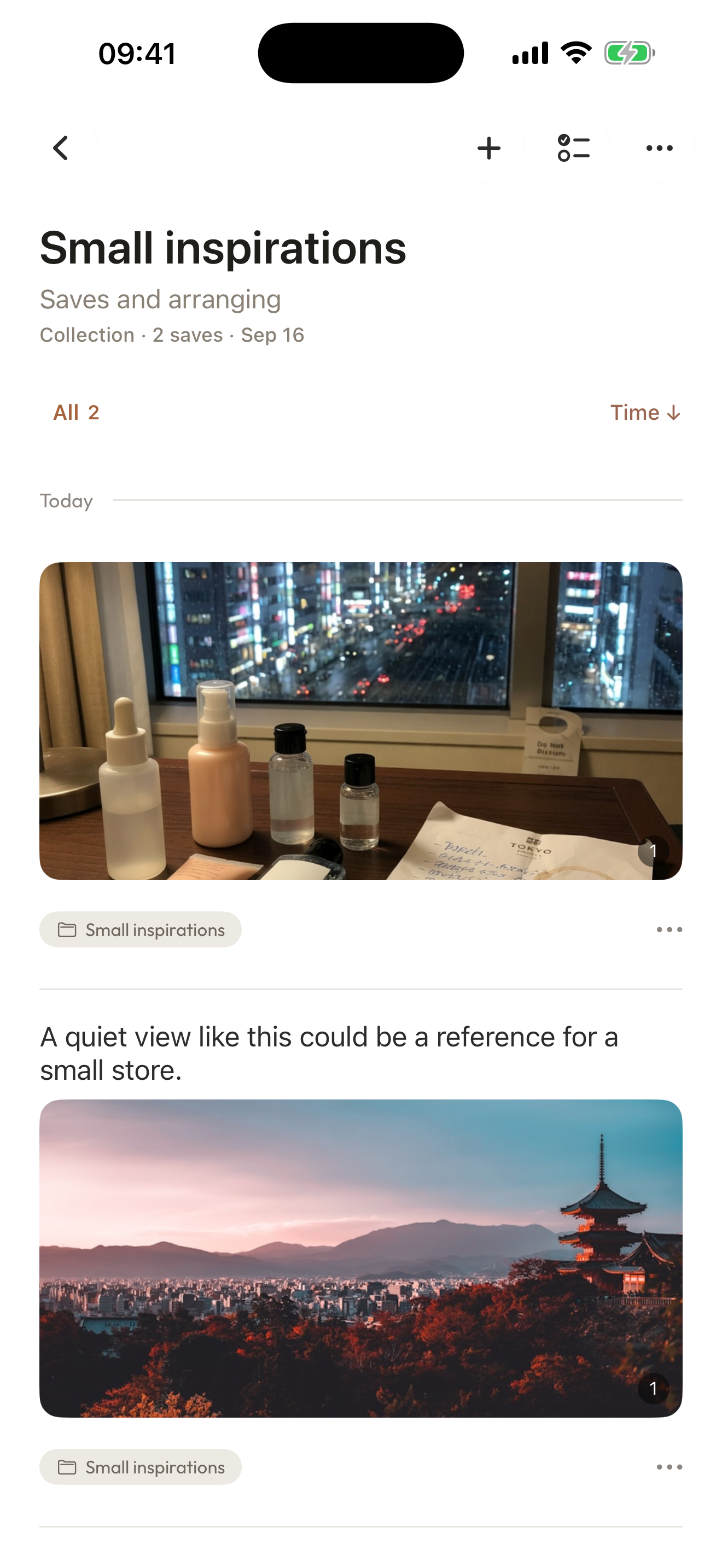
See it in use
Give an idea a little room to grow.
Start with a blank collection, give it a name and choose related items you have saved. A few pieces are enough to begin.
- 0:05Start your own collection
Create a general collection.
- 0:11Name it and choose the pieces
Pick the existing records you want together.
- 0:18See them together
Revisit the Small inspirations collection.
Play the film, or choose a chapter above.
Make it your own
Make the subject your own.
A future shop, a personal project, or something you are still figuring out.
- 01
Give it a name
Start a blank collection and choose a name that makes sense to you.
- 02
Bring related pieces together
Organize photos, saved webpages and personal records around the same subject.
- 03
Keep adding as you go
Add another piece when you find one. Come back to the collection when you want to continue.
A few things to know
Before you begin.
Are collections only for travel and research?
No. Create a general collection for a subject of your own.
Are items sorted automatically?
No. You choose and add the items yourself.
Must I organize everything first?
No. Start with a few related items and leave the rest for later.