Compare
Aside and Apple Notes,
side by side.
Apple Notes is the notes app already on iPhone. Aside is a local library for things you save from other apps and things you jot down yourself. Two tools, each for a different job.
Start on iPhone · No sign-in needed for the Local Library
The other tool
Apple Notes
Apple Notes is Apple's notes app. You write notes, keep them in folders, and lock some of them. It is already on the phone.
Aside
Aside
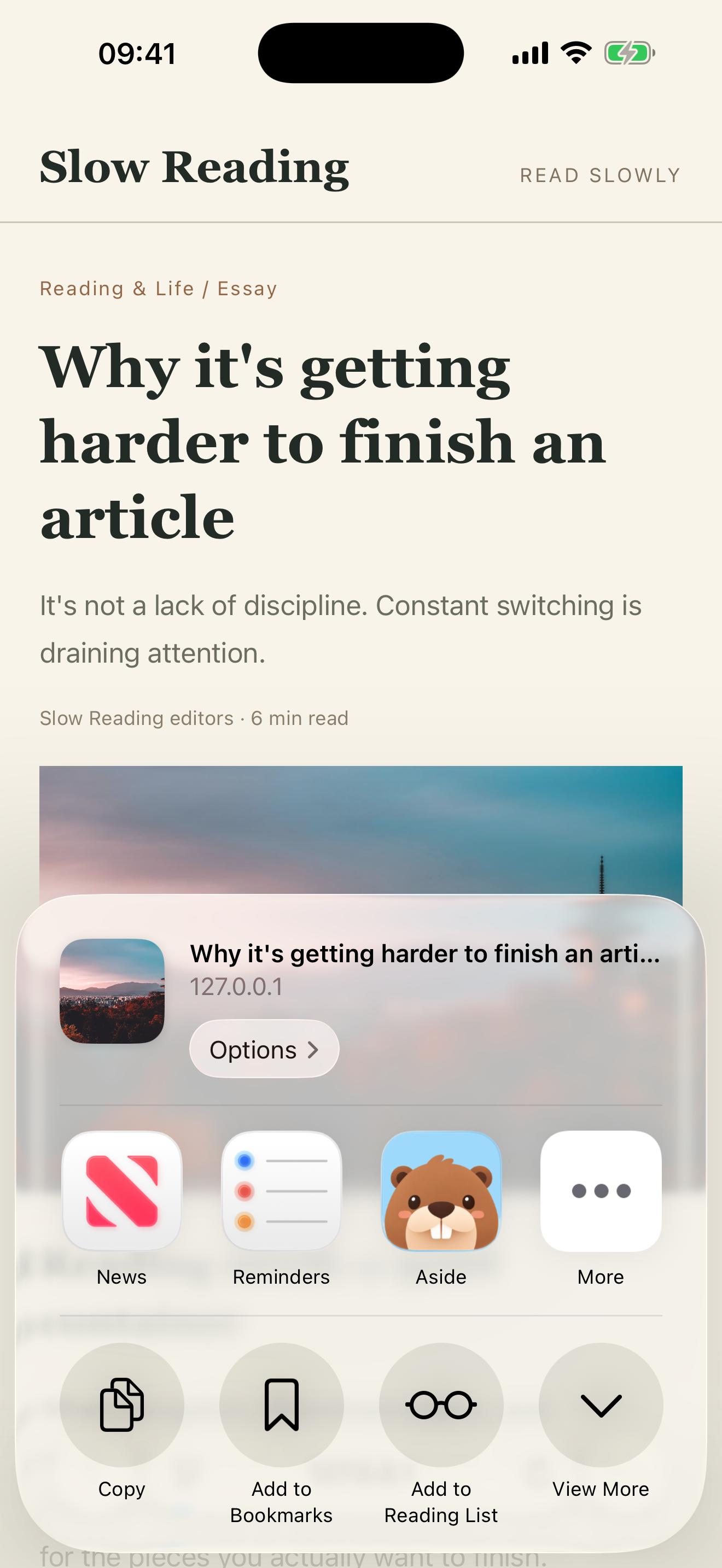
Aside is a local library on iPhone. No sign-in is needed for the Local Library. Save links, text, photos, files, contacts, notes, and calendar events through the iOS Share Sheet — including a note shared from Notes. Start a record from Home with Quick Capture. Add notes, put related items in collections, and set a reminder to look again. Aside cannot import a Notes library.
What overlaps, and what does not
| Aside | Apple Notes | |
|---|---|---|
| Home | Local library on iPhone. No sign-in needed. | The notes app already on iPhone. |
| How things get in | iOS Share Sheet from other apps, including Notes; Quick Capture from Home. | You write in Notes. |
| File import | Aside cannot import a Notes library. | Notes stays in Notes. |
| Share a note | Share a note from Notes through the iOS Share Sheet into Aside. | Open the note and use the system share sheet. |
| Notes | Optional notes on saved items. | The notes are the notes. |
| Organize | Collections you name yourself. | Folders in Notes. |
| Reminders | Optional reminder on a saved item. | Not the same job. |
A few things to know
Before you begin.
Can Aside import my Notes?
No. Aside cannot import a Notes library. If you want one note in Aside, share it from Notes through the iOS Share Sheet.
Can I use both?
Yes. Writing and keeping notes is Notes' work. Saving from other iPhone apps into a local library is Aside's work. Two tools, each for a different job.
How do I share a note into Aside?
Open the note in Notes, use the iOS Share Sheet, choose Aside, then Save. The share-sheet page has the shortest path.
Does Aside publish a website or sync across devices?
No. Those are not current. Share in means saving into Aside from the iOS Share Sheet, not publishing to other people.