Tools Capture an idea
A little thought.
Worth keeping.
A shop you passed. An idea it sparked. Open Aside and keep a few words with the photo, ready for another day.
Start on iPhone · No sign-in needed for the Local Library
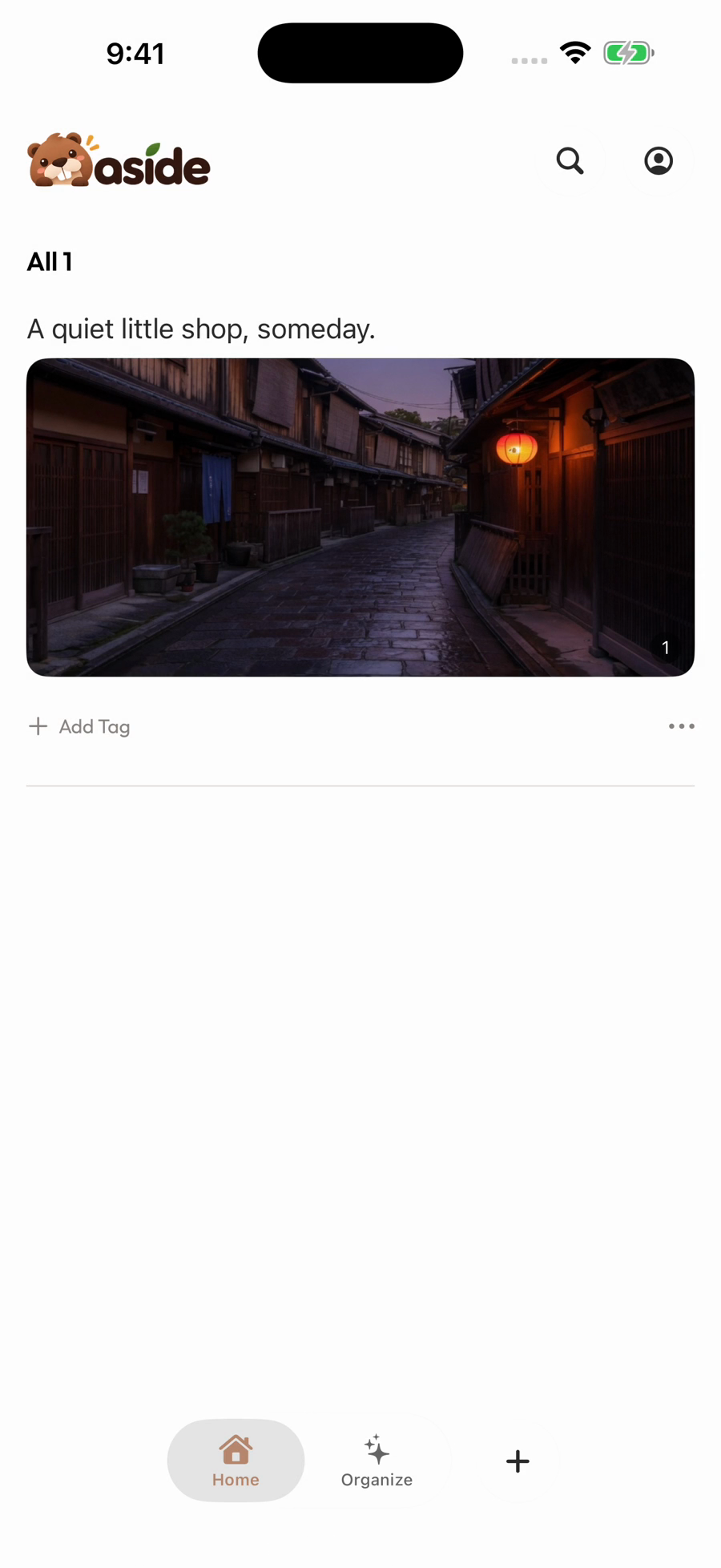
See it in use
Give that little idea a place.
Start with + on Home, write a thought, add a photo and save. You can begin with your own idea, without a link to collect first.
- 0:04Open Quick Capture
Start from + on Home.
- 0:09Put words and a photo together
Keep the thought with the moment that sparked it.
- 0:17Save it for another day
See your record back on Home.
Play the film, or choose a chapter above.
Make it your own
A sentence is enough to start.
You can come back to the details whenever you want.
- 01
Catch the thought
Tap + on Home and write what is on your mind.
- 02
Add what helps you remember
Keep it as text, or add a photo in the same record.
- 03
Pick it up later
Return to your saved record. Bring related ideas into a collection when you are ready.
A few things to know
Before you begin.
Do I need to save a webpage first?
No. Quick Capture starts a record directly, without an existing link or saved item.
Must I choose between text and photos?
No. Combine them in the same record, or keep it text only.
How is this different from a saved item Note?
Quick Capture starts with your own content. A Note adds your thoughts to something you have saved.