Tools Come back with a reminder
Not now?
Make time for later.
An idea you want to think about, at a moment when you are busy. Set a reminder for that saved item and return when you have time.
Start on iPhone · No sign-in needed for the Local Library
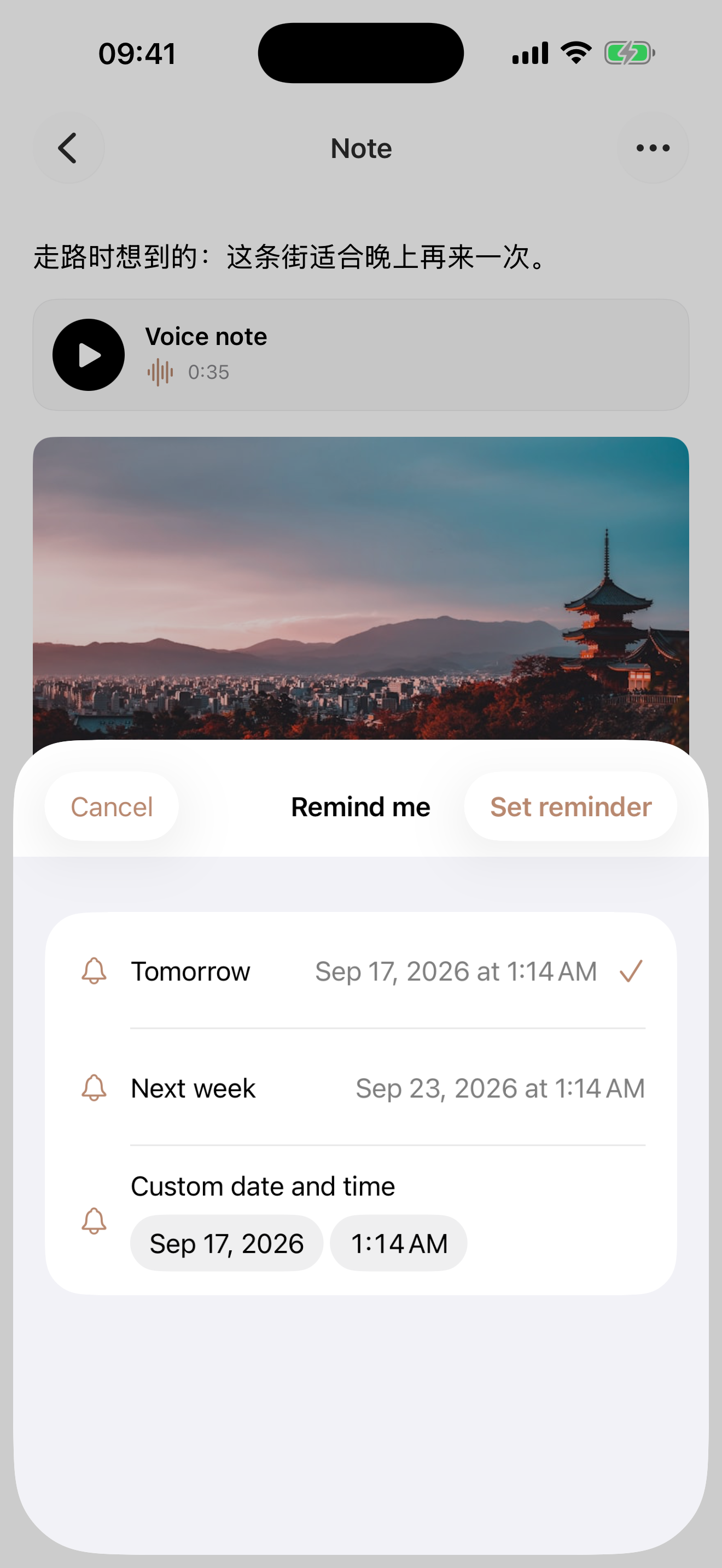
See it in use
A reminder. A thought picked up again.
Open a saved record and choose when to return. Tapping the delivered notification opens the same thought and photo.
- 0:05Choose when to return
Set a custom reminder on a saved record.
- 0:11A reminder arrives later
An iOS notification arrives.
- 0:17Open it and carry on
Return to the same record and thought.
Play the film, or choose a chapter above.
Make it your own
Choose a time that suits you.
Set a reminder for something you want to return to. Every save does not need one.
- 01
Open the item
Find Remind me in the saved item’s detail menu.
- 02
Choose a time
Select tomorrow, next week or a custom date and time, then confirm.
- 03
Return from the reminder
With notifications allowed, Aside uses an iOS local notification. Tap it to return to the item.
A few things to know
Before you begin.
Are reminders only for articles?
No. A record containing a photo can have one too.
Can I add one after saving?
Yes. Open an existing item and set it from the detail menu. You do not need to share it again.
Will it always arrive exactly on time?
Delivery needs notification permission and depends on settings such as Focus. Exact delivery is not guaranteed in every situation.
Does Aside choose what I should revisit?
No. You choose the specific item and reminder time.