Tools Voice note tool
Voice note tool
Use Aside to record a voice note. Add a recording in the same Quick Capture record as your text and photo. Aside does not transcribe the recording into text.
Aside is a voice note tool for iPhone. Open + on Home, record a short clip, and keep it with a sentence or a photo. Use it while walking, after a meeting, or on a trip.
Start on iPhone · No sign-in needed for the Local Library
What it is for
Voice note examples in Aside
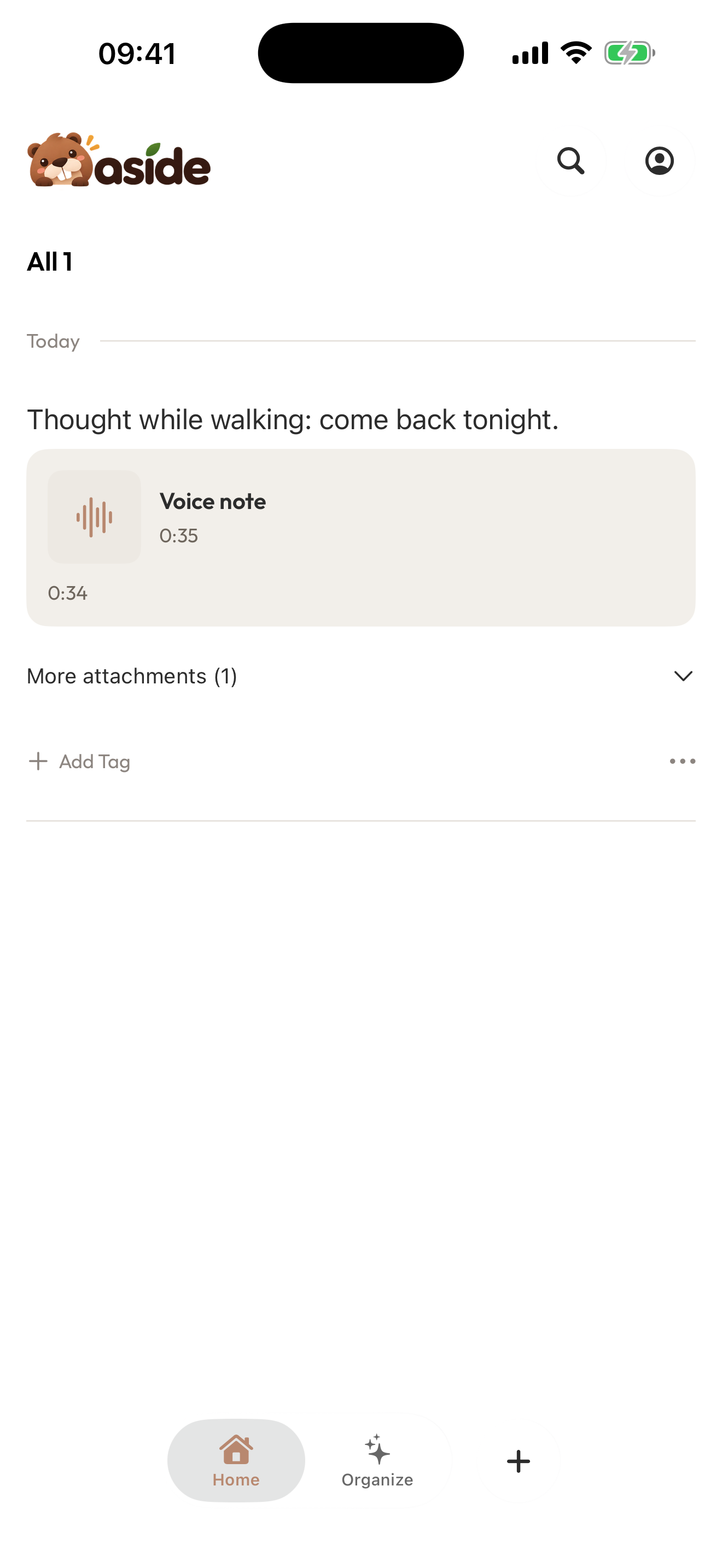
A thought while walking
Record the sentence before it is gone. Add a photo of the street if that helps you remember.
A note after a meeting
Capture a short voice memo, then write the one action you do not want to lose.
A travel remark on the spot
Record why this stop is useful, then put the record in the travel collection later.
Make it your own
How to record a voice note in Aside
Start from Quick Capture. A recording can sit next to text and photos in one record.
- 01
Open Quick Capture
Tap + on Home. You can write first or record first.
- 02
Add a recording in the same record
Add a voice clip along with any text or photo you need. Aside does not turn the clip into text.
- 03
Save and file it later
Save the record, then put it in a travel, research, or other collection when you want.
A few things to know
Before you begin.
Can Aside record voice notes?
Yes. Add a recording in a Quick Capture record, together with text or a photo if you want.
Does Aside transcribe voice notes to text?
No. The recording is stored as audio. Aside does not transcribe it.
Do I need a webpage before I record a voice note?
No. Quick Capture starts a record directly.
Can a voice note go in a travel collection?
Yes. Save the record first, then add it to a collection such as a travel guide or research notes.