This is the iOS capture path. It is not the Web Clipper, and it is not the Android share action.
The matching tool page is Save from the iOS share sheet.
Before you start
You need:
- an iPhone or iPad
- Aside for iOS installed
- the content already open in another app, such as Safari, Photos, Messages, or Files
You do not need the Web Clipper for this path. You do not need to organize the item first.
Shortest path
- Open the app that contains the item.
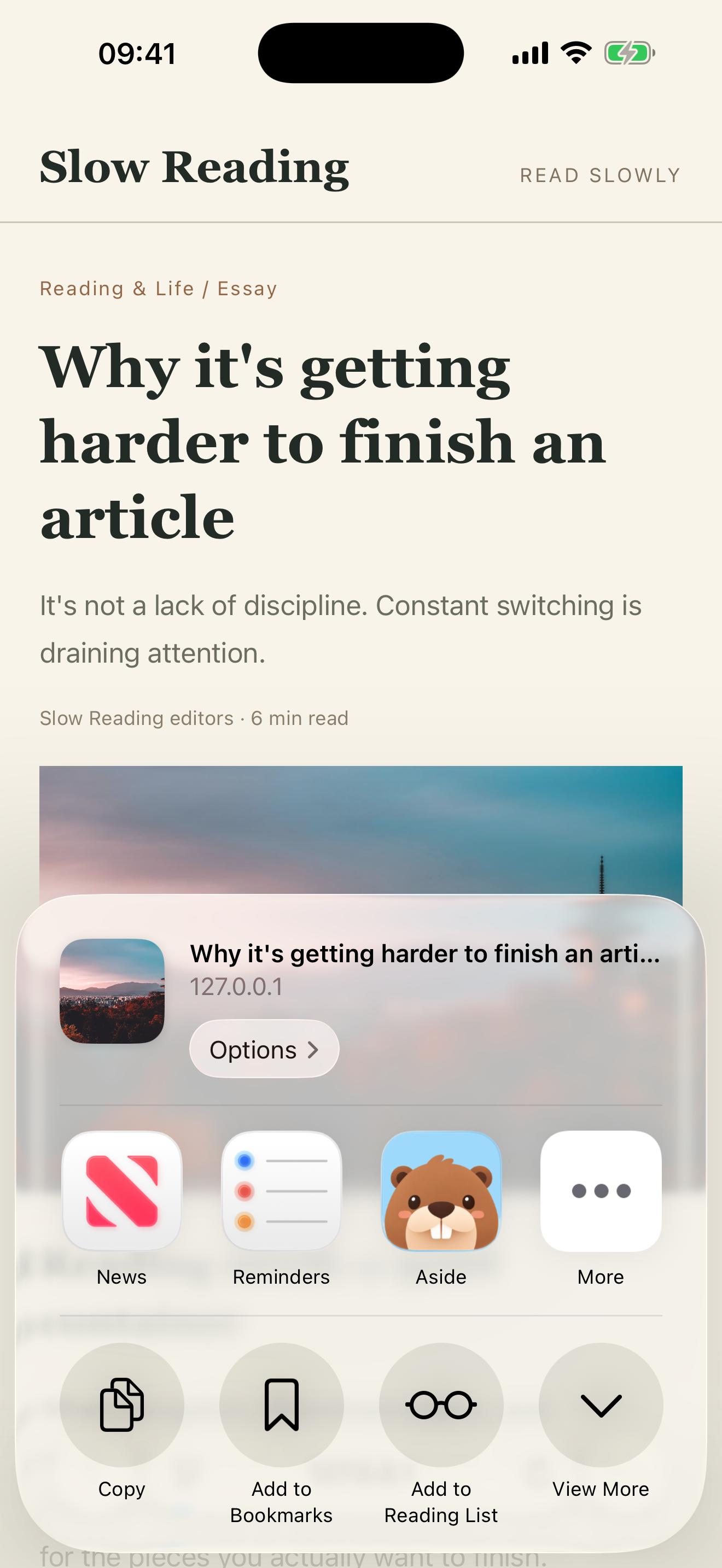
- Tap the system share button.
- Choose Aside.
- In the Aside sheet, check the preview, then tap Save.
- Open Aside on the same device and find the item in your list.
The Aside sheet uses the heading Save to Aside. Tags, notes, or a capture collection are optional. The shortest path is Share → Aside → Save → open the iOS list.
What you should see
After you choose Aside, a sheet opens over the other app. It shows a preview of the link, photo, note, or file, with Cancel and a Save button.
After you tap Save, the sheet closes. There is no success page. That close is the save finishing, not a failure.
Then open Aside on the same iPhone or iPad. The item should appear in the list with a title or preview you can recognize. If you saved a link you already kept, the button may read Update Saved Item instead of creating a second copy.
Example: a link you want to use later
Open a useful article in Safari and share it to Aside. Before saving, add a note such as “Use this example in my next talk.” Save, then open the item in Aside to find your note with the source.
The note is optional and written by you. You can see the complete flow in Save links with notes on iPhone. For several sources about one question, continue with Organize research sources and notes.
Saving a link does not preserve an entire website for offline reading. The original page and remote content may still need a network connection.
If it fails
If Aside does not appear in the share sheet, the save never starts.
Scroll the app list, tap More, and enable Aside. Return to the other app and share again. If Aside is still missing, open Aside once from the Home Screen, then retry the share.
Cancel dismisses the sheet without saving. Do not wait for a success screen after a real save — the sheet is supposed to close.
Platform limits
- This path exists on iOS. Web has no system share sheet.
- The Web Clipper cannot save something that is still inside a mobile app.
- Android uses a different system share action. This page is not an Android guide, and the screenshot is iOS.
- Confirm the item in the iOS Aside app. A missing item on Web is not proof that the iOS save failed.
Next: Fix a capture that did not land. If you also save pages from a desktop browser, use Save with the Web Clipper.